Wordpress 6.6, Shapely 1.2.15
The search functionality has an issue where the fade in interaction flutters if you’re mouse is above the magnifying glass (in the path that the search window moves in).
https://jam.dev/c/e4a38235-952b-4c77-b485-3e3a02123f8a
I cannot find where to adjust settings for the search appearance in the main menu to address this or other wise move the placement of the magnifying glass.
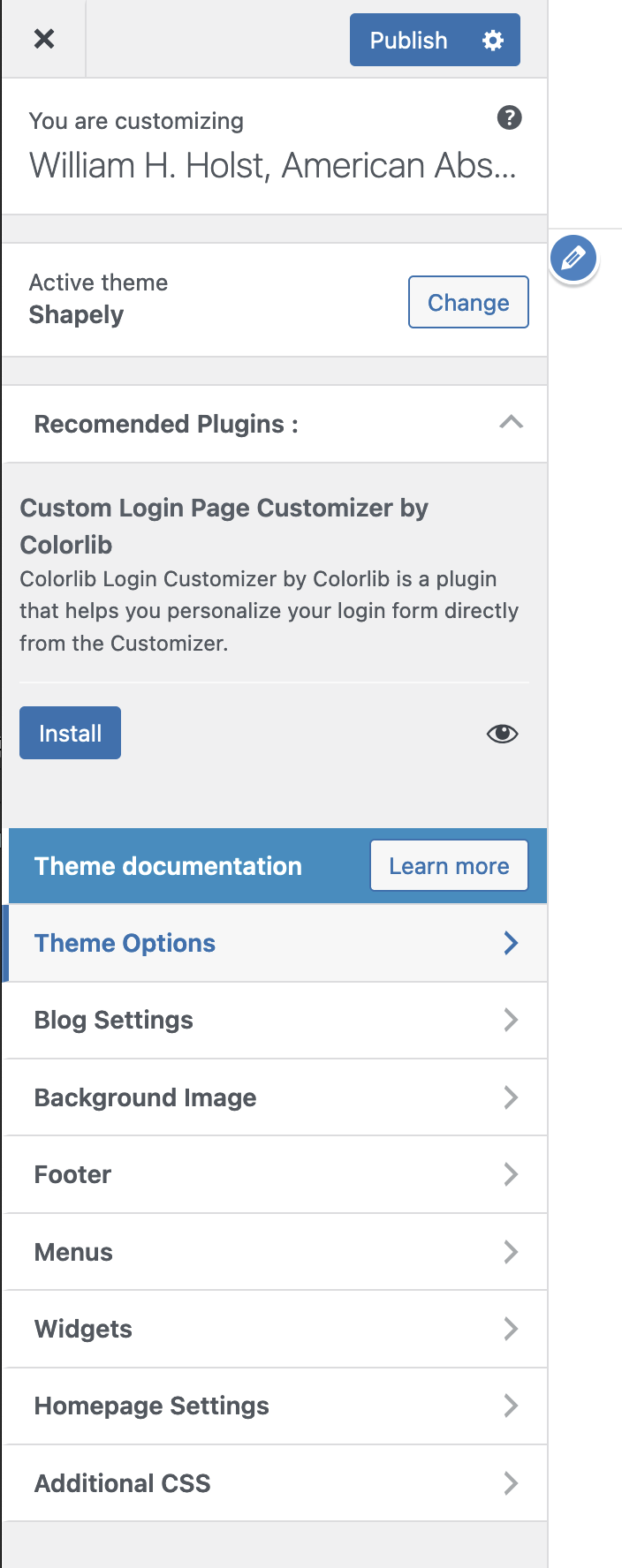
In fact, most of the customization options I’d expect to see cannot be found.
“This plugin hasn’t been tested with the latest 3 major releases of WordPress. It may no longer be maintained or supported and may have compatibility issues when used with more recent versions of WordPress.”
Please advise.
Hey there @keithcross
May I take a look at your website? please provide URL and I will check it.
I also see that you have lots of menu elements, any chance you can fit them into one line?
Regards,
This is a site I’m working on for a new client. I updated WP core, some other plugins, and Shapely theme and the companion plugin, but honestly, I could not decipher where/how I was supposed to truly customize the theme. Of course, I followed the “customize” in dashboard, but that was bare bones….the options appeared very limited and I couldn’t customize the header or footer in any meaningful way.
I suspect that since this theme and companion plugin havnen’t been updated in 2 years, there is some difference between the versions on Wordpress.org and the ones that are being supported via the support forum? Let me know if there is a new avenue to get the latest files. I may have to do additional work before setting up a staging site to test the new versions, etc.
Once I have more control over the customization, I can address the navigation bar. Currently those are set to float left/right and I didn’t want to dive into too much custom css on that if I was then going to have to move to a new theme file set.
1 Like
Hey there,
Thanks for the detailed information,
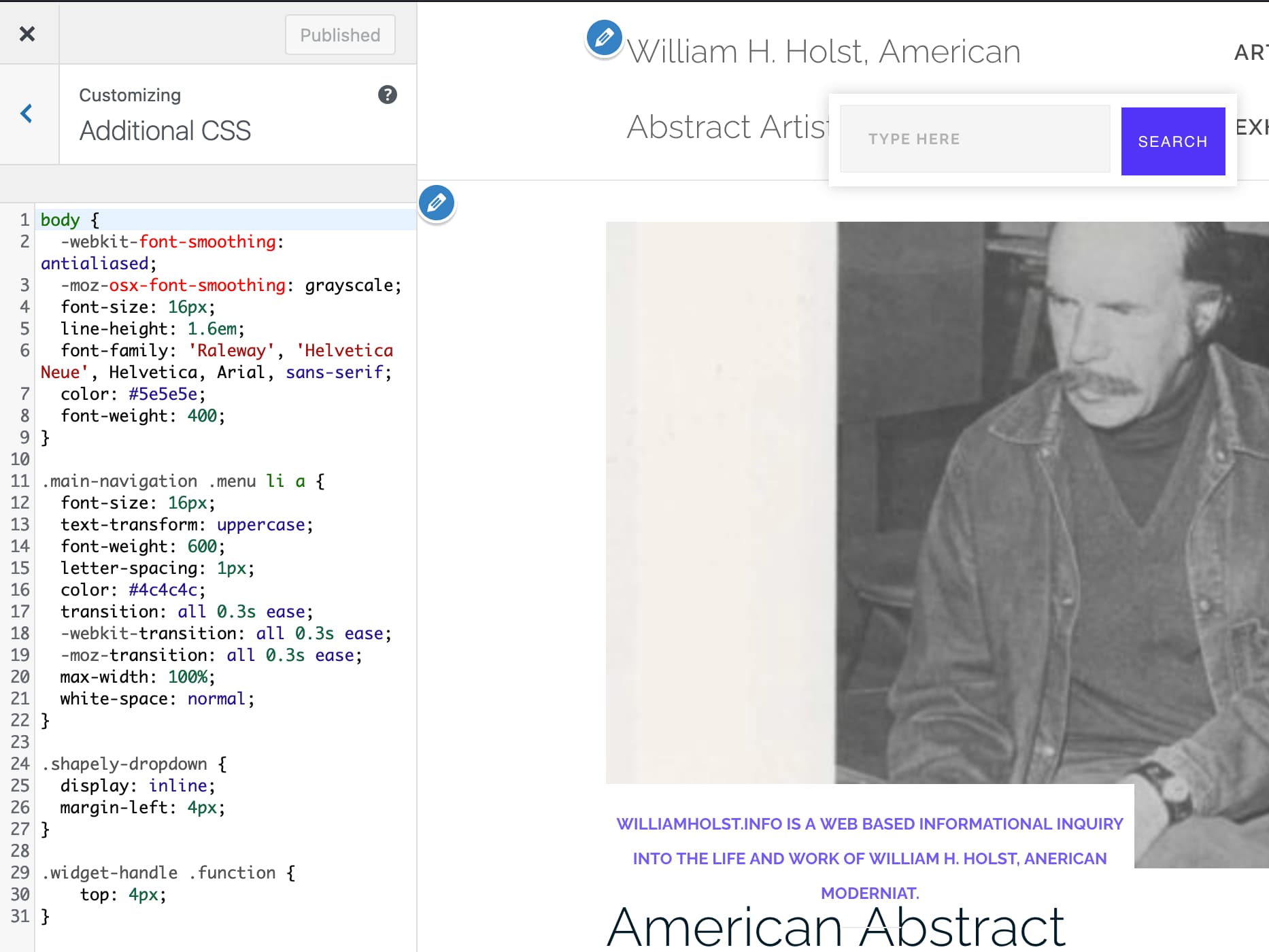
Please add this CSS code in the Appearance > Customize > Additional CSS:
.widget-handle .function {
    top: 4px;
}
let me know results,
What is this new css supposed to do, exactly? I added it and it didn’t alleviate the jittering.
Also, I would appreciate some help with how to deal with the theme and companion plugin not functioning. Where should I be finding the controls for the header?
Please advise and provide more detail if you could. Thank you.
-
I added the css, but saw no effect. I purged cache (Litespeed) on the page. I’m still seeing the fluttering. Could there be a mouse enter/mouse leave issue on the interaction perhaps in some javascript? I’m also not clear why I cannot better control the position of that search feature in the layout through the customization features.
-
perhaps you can point me to where I can see what the companion is supposed to look like, because in the customizer…there are very few real customization options. Therefore, I suspect that something isn’t working. And it hasn’t been updated in 2 years?
- no way to edit/customize header (colors, structure, nav styles, etc.)
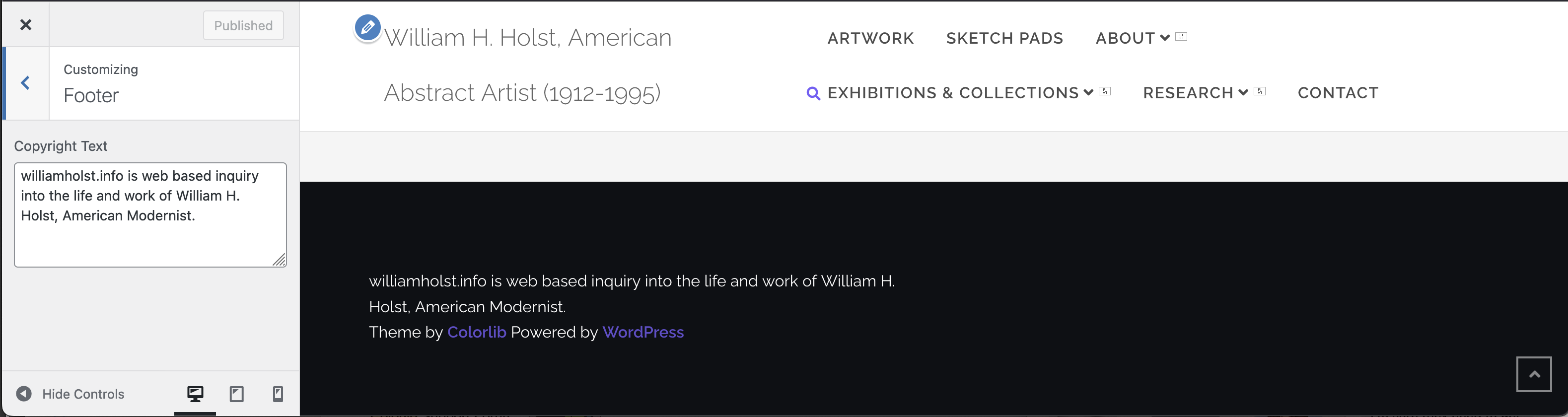
- footer customization is a single box for text? That’s not anywhere close to what one would expect to find for customization…
I’m only able to add one image, otherwise I’d provide more screenshots to illustrate what I’m (not) seeing.
I’m hopeful you have some suggestions for next steps on the search function and the customization options.
Thank you for your help.
KC
Hello,
Any thoughts on my last reply? Please let me know if you need additional details.
Thank you,
KC
Hey there,
Sorry for the delay,
I cant see that CSS code is added, I belive it was not correctly added, can you please share the screenshot of the CSS code in the box?
Regards,
I entered the CSS in the correct place, but the CSS you provided wasn’t affecting the element because it wasn’t specific enough and even when modified, it didn’t move the search bar out of the mouse exit path which is what is causing the jitter. I changed it to this:
.widget-handle div.function {
right: 30px;
top: 0px;
}
This positions the search box to the left of the magnifying glass. That way if the user’s mouse exits off the icon, the search box doesn’t jitter. But if you exit off the search box, it still jitters. I think something needs to be addressed with the enter/exit code.
Screenshot to show where I added your CSS:
Can you please address the questions about the Companion Plugin?
Hey there,
Can you please provide admin details in a direct message? I will check and fix it for you.
Regards,